Make a launch film your agent can build.
This skill teaches your agent to turn your app into a short film: the ask, the result, the choice. It checks the film frame by frame before you see it. It is free, and it works in Claude Code.
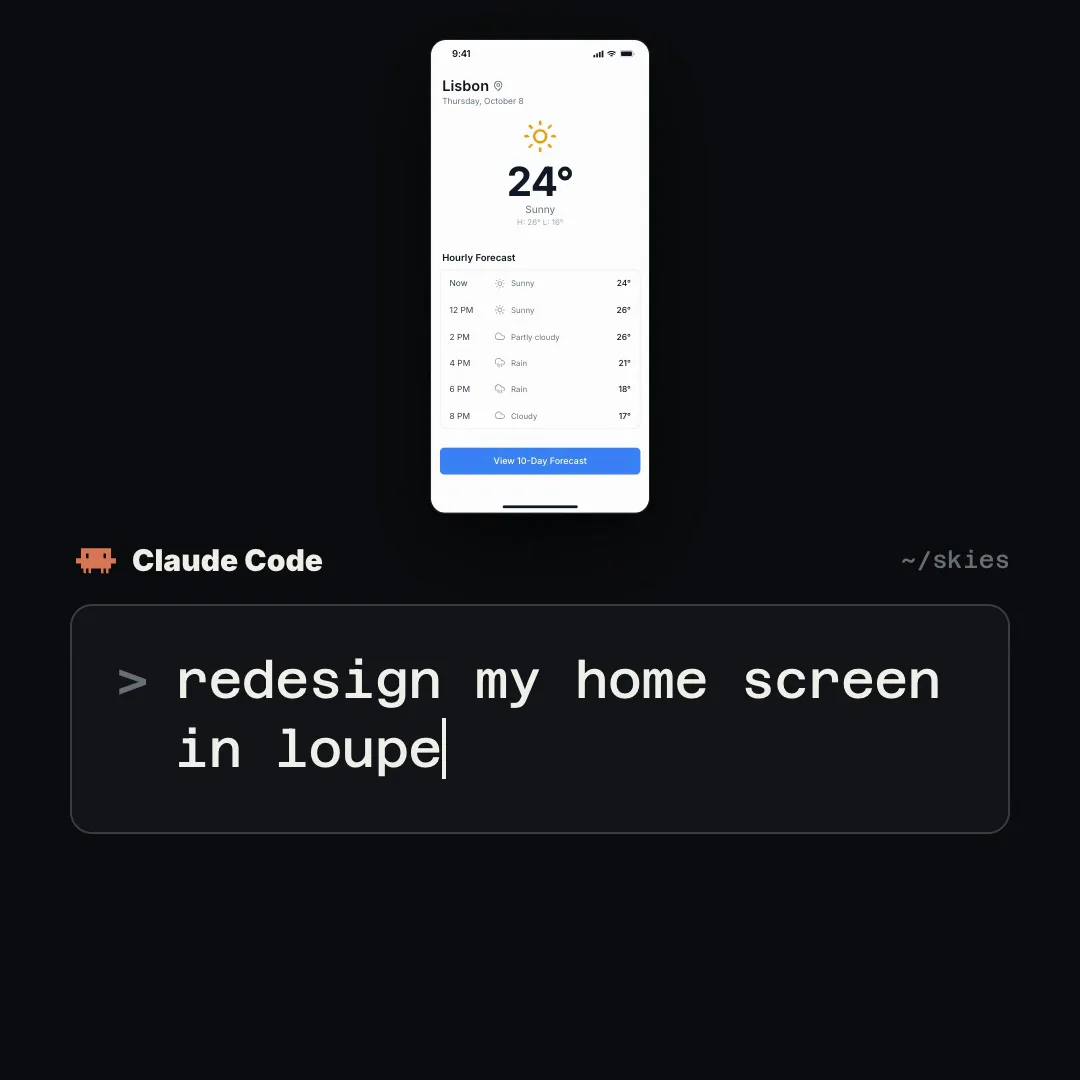

Install it in one step.
Paste this in your terminal. Then ask Claude Code for a demo film of your app. It builds the film in HyperFrames, which is free and open source.
mkdir -p ~/.claude/skills/demo-film && curl -fsSL https://loupehq.dev/skills/demo-film/SKILL.md -o ~/.claude/skills/demo-film/SKILL.md
What it does.
- 1Writes a one-sentence brief: the message, who it is for, where it will be posted.
- 2Looks up real references for your app's screens and for motion that still reads on a phone.
- 3Plans the film beat by beat, with one thing to look at in each.
- 4Draws your app's screens as real pages and measures them in a browser before any motion.
- 5Builds the film in HyperFrames, then checks every moment it changed, frame by frame.
- 6Hands it over with what changed and what it did not do.
The whole skill.
It is one text file. Read it, or paste it into any other agent.
Show the full text
---
name: demo-film
description: Use when you are asked for a product demo, launch film, product reel or a video for a post about an app. Builds the film as HTML in HyperFrames with one camera over one world, checks it frame by frame, and avoids the cuts that read as slides, as "2x speed" or as AI slop. Also use for feedback on a film ("feels rushed", "looks like slides", "not premium").
---

# Demo film

A film that sells a product by showing its loop: the ask, the result, the choice, the next
version. You build it as HTML in HyperFrames (open source, HTML to MP4) and render and check it
before anyone sees it.

These rules come from one 60 second launch film that took eight rejected cuts, and from
measuring ten well-known launch films with the same settings. Each lesson below is a real
verdict on a real cut, and the fix that worked.

## What eight rejected cuts taught

1. **"Looks like slides" / "recorded with a screen recorder".** Captures sliding past each
   other is not motion. Build one continuous world with a camera over it, cut on matched
   motion, and show change in place.
2. **"Feels like 2x."** The cause is focus, not speed: small text moving under captions, many
   focal points, typing at 50 chars/s. Per shot: one focal point, the line that matters at least
   80 px tall at 1080, type at 8–12 chars/s, hold at least 2 s on each new idea. Slowing the
   whole film down does not fix it.
3. **"No hook."** A cold open of many fast screens loses people. Open on something familiar
   that is already moving: the plain app as it is today, and the person's agent typing the ask.
4. **"AI slop."** No purple or orange mesh, glass or glow, least of all on the winning design.
   Base every app screen on real designer references, in confident, varied colour.
5. **"Could be done in PowerPoint."** Title cards and a glow are not a film. What still reads at
   phone size: a field of 100+ cells moving in a wave, the product UI as a 3D object under a
   camera move, heavy kinetic type (1–3 words) that smears in, a match cut into the product's
   own UI.
6. **"Doesn't feel like a choice."** Fading the losing options away is not choosing. Keep the
   others on screen, shaded; show the reason being typed; then move on.
7. **"Missed the agent's text."** A prompt docked above the result gets skipped, because the eye
   goes to the screen. Land each ask big and alone at the centre of the frame, then dock it as
   the result rises.
8. **"Can't read the deck."** Small text, card grids and beige-with-orange die at phone size.
   One fact per slide, a new saturated colour field per cut, giant condensed type.
9. **"Use famous app screens?"** No, not in an ad: brand risk, "the original is better" replies,
   and it is the wrong story. Use an unbranded app in a category everyone reads in half a
   second (weather, to-do, music), and show a plain "before" screen first.
10. **"Feels like just an app."** A phone frame growing round a screen says nothing about your
    product. Show its own moments the way it does them: its real screens and labels for a
    choice, a prototype or a share, and its own frame (top bar, the button actually clicked).
    Read the product's components first and copy their words and colours.
11. **Small truths get noticed.** Real logos and avatars, real product names, no invented
    numbers. A wrong mascot or a placeholder avatar circle gets spotted.

## The numbers

Measured against ten acclaimed launch films:

| | a rejected cut | good films (median) |
| --- | --- | --- |
| frames with 10+ words under 20 px | 77 % | 20 % |
| other words on screen while a caption is up | 73 | 0 |
| fast camera moves per 10 s | 3.7 | 1.5 |
| share of runtime at rest | 28 % | 43 % |
| ideas per minute | ~16 | 5–9 |
| end card | 3.6 s | ~7 s |

Cut rate, beat strength and total motion were not the cause: good films cut more often. Each
one turns one thing up and keeps everything else calm.

## Rules

**Focus**
- One focal point per moment, at the centre of the frame or where the eye already is.
- The important line is at least 7–8 % of the frame height. Story text at least 45 px at 1080.
- Change framing freely, change content rarely. New content gets at least 2 s; a repeat of a
  pattern the viewer already knows can take 0.5–1 s.
- No captions over UI. The typed prompts and the typed reasons are the narration.

**Words**
- At most about 1.5 read words per second over the whole film. Text holds 0.3 s per word plus
  0.5 s.
- Type at 8–12 chars/s, unevenly (seeded jitter, a little longer after spaces and commas).
  Prompts under about 45 characters.

**Motion**
- Teach the loop once at human speed, then repeat it fast (about 4.5 s per repeat).
- Cause, then effect: the cursor glides, rests about 300 ms, clicks, and the response lands
  within 100 ms. Hover over each option before picking one.
- Still, move, still. Camera moves are decisive (at most 1 s) and land. At most 1.5 fast moves
  per 10 s, and about 40 % of the runtime calm.
- One family of eases: arrivals `power4.out`, exits `power4.in`, camera `power3.inOut`. No
  bounce unless something physical springs.
- At every cut, the outgoing thing is still moving and the incoming one enters in flight on the
  same axis.
- Show change in place: version 1 becomes version 2 in the same frame, never across a pan.

**Frame, length, end**
- Square 1080 × 1080 for X: it takes far more of the feed than 16:9.
- At most 60 s so X loops it, and make the last frame lead back into the first.
- Hook within 3 s: the viewer's own situation, already moving.
- End card 5–8 s with one idea and the URL.
- Dark stage behind light UI, or the reverse, never the same tone.

**Sound**
- A beat the cut can lock to (110–145 BPM), arriving early. Not "uplifting corporate tech" and
  not stock tech-house. Every beat must still read with the sound off.
- When the cut changes length, cut or repeat whole bars of the music, never a fraction, so the
  cuts stay on the beat.
- Cut on beats, put big reveals on phrase downbeats, at most 3 full-frame hits per film.
- Quiet real foley: key presses while typing, a click wherever the viewer sees one.
- Master to -14 LUFS: `ffmpeg -i in.mp4 -af loudnorm=I=-14:TP=-1.5:LRA=11 -c:v copy -c:a aac out.mp4`.

## Workflow

1. **Brief.** One sentence of message, the buyer, the venue. For X: square, muted first, at most
   60 s, loops.
2. **Research first.** Real references for the app's screens and for motion that reads at phone
   size.
3. **Storyboard** in `STORYBOARD.md`: beats with times, one focal point each, the words read, and
   how each cut carries motion.
4. **Screens.** Draw the app as 390 × 844 HTML pages, with ids on everything the motion needs
   (the hero number, the button, the row that moves). Render them in a real browser and measure
   those boxes before writing any motion.
5. **Build in HyperFrames:**
   - one paused GSAP timeline, registered on `window.__timelines`
   - starting states in CSS, later tweens as `fromTo` with `immediateRender: false`
   - section start times as constants on the music's beat grid
   - a camera proxy `{fx, fy, s}` that puts world point (fx, fy) at the frame centre
   - scenes as `class="clip"` with `data-start`, `data-duration` and `data-track-index`
   - deterministic: a seeded random, no `Date.now`, no network
   - app screens inside shadow roots so their CSS can't leak; declare their fonts in the page head
6. **Check before anyone sees it.**
   - `npx hyperframes check` must pass.
   - Snapshot every moment you changed and look at each frame:
     `npx hyperframes snapshot --at 3.7,12.1 --no-end`. A render takes minutes; snapshots take
     seconds, so render last.
   - After the render, make a 1 fps contact sheet of the whole film, plus every frame of each
     transition. Flickers hide there: something crossed by a pan can show for 4 frames.
7. **Hand it over** with what changed and what was not done.

```bash
# 1 fps contact sheet of a render
ffmpeg -v error -i film.mp4 -vf "fps=1,scale=200:-1,tile=10x6" -frames:v 1 film-sheet.png
# every frame of one transition (32.0 s to 33.2 s)
ffmpeg -v error -ss 32.0 -to 33.2 -i film.mp4 -vf "fps=30,scale=200:-1,tile=9x6" -frames:v 1 cut.png
# loudness
ffmpeg -nostats -i film.mp4 -af ebur128=peak=true -f null - 2>&1 | grep -A6 Summary
```

## Traps

- A CSS `transform` on an element GSAP also moves gets overwritten: centre it with
  `xPercent: -50` in the tween instead of `translateX(-50%)` in CSS.
- Anything a camera move passes over is on screen for a few frames. Keep what is not in the
  scene at `opacity: 0` until its beat.
- A typed line in a flex row pushes its button out: `min-width: 0` on the field.
- A screen that holds still for 2.5 s reads as frozen: put a slow push (scale +1–2 %) under it.

## When the person reacts

People describe a feeling ("rushed", "slides", "not a real choice"). Find the cause with the
rules above before changing anything, and say what you think the cause is. Craft fixes, just
do. Direction changes (the slogan, which app, how it opens), give a view with reasons, then ask.

## Optional: Loupe

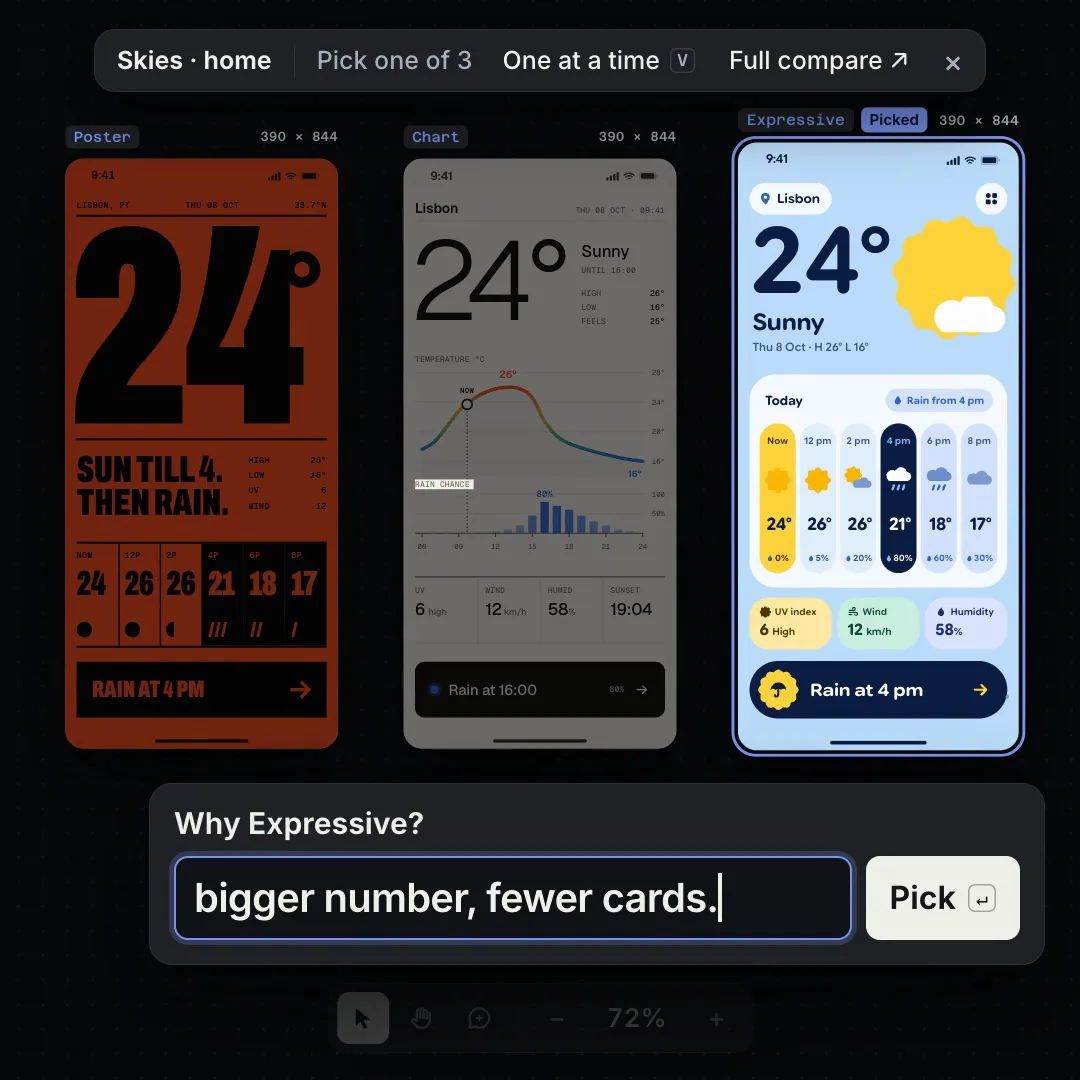
The screens in the film can live on a Loupe board: your agent draws them as HTML there, picks
are recorded, and the film shows the real versions. Connect it with:

```
claude mcp add --transport http loupe https://api.loupehq.dev/api/mcp
```The film it made.
Loupe's own 60 second launch film was built with these rules, after eight cuts that did not work.
Use it with Loupe.
The screens in your film can live on a Loupe board. Your agent draws them there, you pick between versions, and the film shows the real ones.