An AI app design tool for your coding agent.
See your app before any code. Your agent draws each screen on a board, you pick the one you like and say why, and the agent builds from your pick. No designer and no Figma.
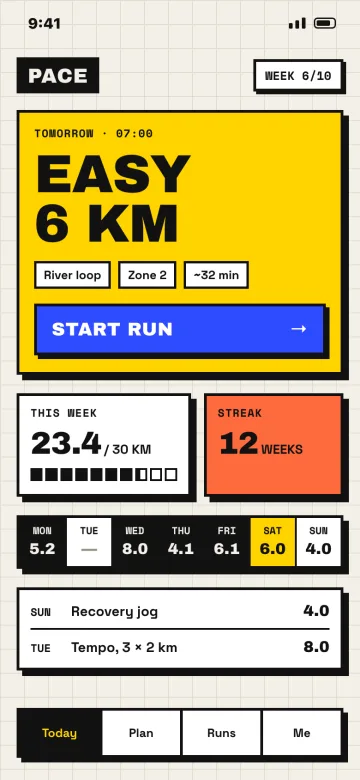
How it works.
- 1Connect Loupe to your agent with one URL.
- 2Ask for the screens. They land on a board, at the sizes the browser measured.
- 3Ask for other ideas. Variants sit side by side so you pick one.
- 4Your agent builds from the screens you picked, and the notes you left.
Try asking.
Paste this into your agent once Loupe is connected.
Design onboarding, home and settings for my app. Draw the home screen three different ways so I can pick.
What you get.
- Real screens. Each one is HTML opened in a real browser, so you can see it in dark mode and at any size.
- Measured sizes. Loupe never guesses a size: it is unknown until a browser has measured it.
- Consistency. Declare your colours, type and components once, and every screen is checked against them.
- Clickable prototypes. Link one screen to the next and walk through the flow.
- Memory. Your picks and notes are saved, so the next chat or another agent starts where you left off.
The details.
| Phone | 390 px wide |
|---|---|
| Tablet | 1024 px wide |
| Desktop | 1440 px wide |
| Dark mode | Checked by rendering the page twice |
| Connect | One MCP URL |
Common questions.
Does Loupe build my app?
No. Loupe is where you and your agent choose the design. Then your agent builds the app in your code, from the screens you picked.
Which agents work with it?
Any agent that supports MCP: Claude Code, Cursor, Codex, Gemini, opencode, GitHub Copilot and more. Most connect with one URL.
Do I give Loupe an AI API key?
No. Your agent does the design on your own plan. Loupe does not run any AI itself.
Does it work with an app I already have?
Yes. Your agent can bring in a web app, Django templates or plain HTML, or start a new design.